
WakaTinyMCE
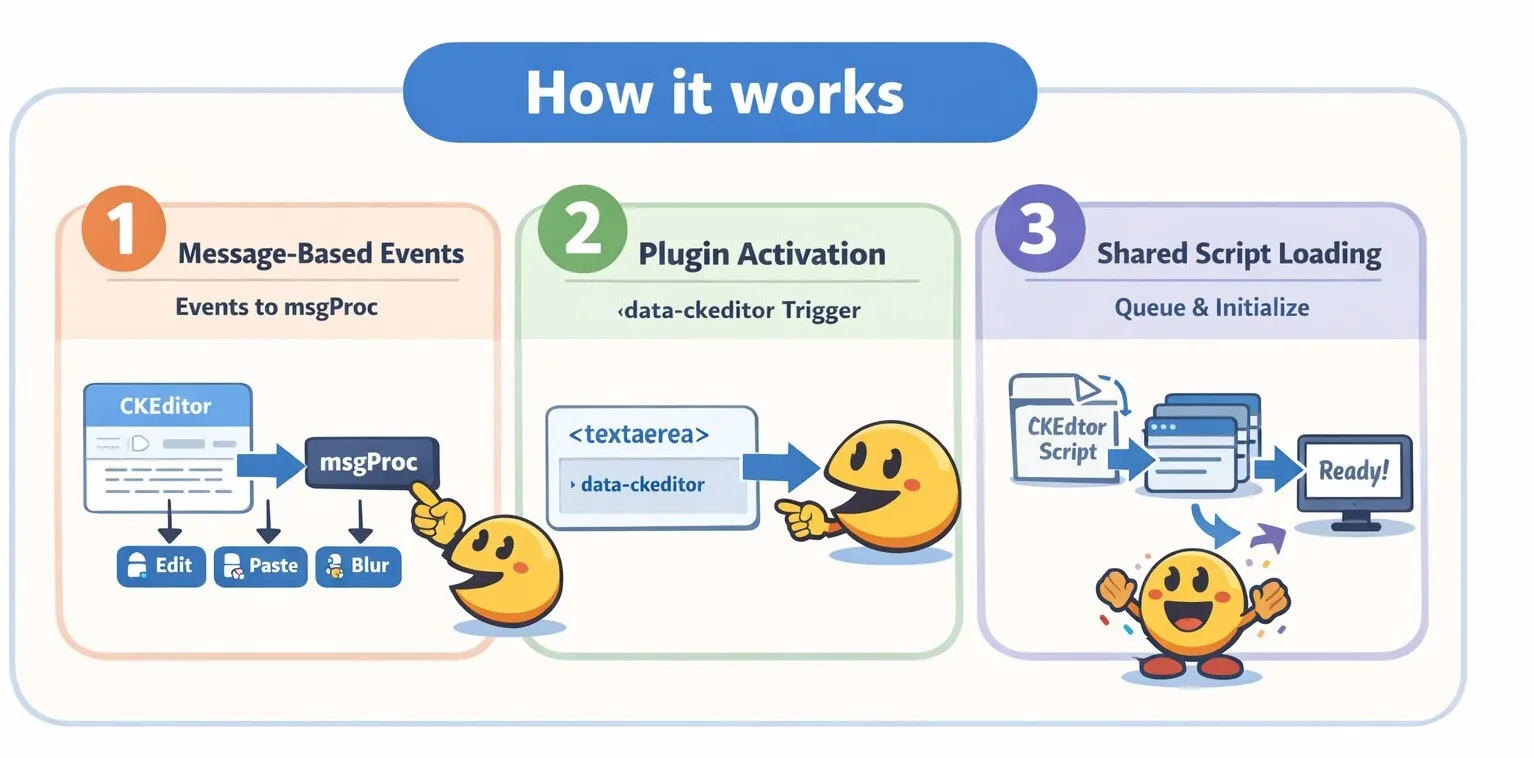
WakaTinyMCE integrates with WakaPAC as a plugin, bridging TinyMCE 7 into the WakaPAC message model. Editor events — content changes, focus, blur, paste — all arrive in msgProc as messages, the same dispatch table as clicks, keypresses, and timers.
On this page:
Getting Started
Register WakaTinyMCE with WakaPAC once, before creating any components. The plugin activates automatically for components whose root element is either a <waka-tinymce> custom element, or a <textarea> carrying a data-tinymce attribute.
Custom element
Use <waka-tinymce> as the container element. The plugin detects the tag name and activates automatically — no extra attribute is needed. Add a name attribute to participate in form submission:
<waka-tinymce id="editor1" name="body"></waka-tinymce>

<script>
    wakaPAC.use(WakaTinyMCE, { licenseKey: 'your-api-key' });

    wakaPAC('#editor1', {
        msgProc(event) { }
    });
</script>
Attribute-based (classic)
<script src="https://cdn.jsdelivr.net/gh/quellabs/wakapac@main/wakapac.min.js"></script>
<script src="https://cdn.jsdelivr.net/gh/quellabs/wakapac@main/plugins/wakatinymce.min.js"></script>

<textarea id="editor1" data-tinymce name="body"></textarea>

<script>
    wakaPAC.use(WakaTinyMCE, { licenseKey: 'your-api-key' });

    wakaPAC('#editor1', {
        msgProc(event) { }
    });
</script>
Loading TinyMCE
The plugin injects the TinyMCE script automatically on first use and shares it across all instances. Components created before the script finishes loading are queued and initialized once it is available. You can also load TinyMCE yourself before WakaPAC initializes any components — the plugin will detect the existing window.tinymce global and skip injection.
CDN (default)
TinyMCE's CDN requires an API key obtained from tiny.cloud. A free plan is available with unlimited editor loads. Pass the key as licenseKey:
wakaPAC.use(WakaTinyMCE, { licenseKey: 'your-api-key' });Self-hosted
Point the plugin at your own TinyMCE build using src. Pass licenseKey: 'no-license-key' to suppress the missing-key warning that TinyMCE shows in the editor UI for self-hosted builds:
wakaPAC.use(WakaTinyMCE, {
    src:        '/assets/tinymce/tinymce.min.js',
    licenseKey: 'no-license-key'
});
TinyMCE bundles its own CSS and loads it automatically. There is no separate stylesheet to manage.
The Basics
Once registered, editor events arrive in msgProc. The current HTML content is always available through WakaTinyMCE.getValue().
wakaPAC('#editor1', {
    msgProc(event) {
        switch (event.message) {
            case WakaTinyMCE.MSG_EDITOR_READY:
                console.log('Editor ready, initial content:', event.detail.value);
                break;

            case wakaPAC.MSG_CHANGE:
                console.log('Content changed:', event.detail.value);
                break;

            case wakaPAC.MSG_INPUT_COMPLETE:
                // Validate or save on blur
                this.validate(event.detail.value);
                break;

            case wakaPAC.MSG_PASTE:
                // Return false to block the paste
                if (event.detail['text/html'].includes('<script')) {
                    return false;
                }
                break;

            case WakaTinyMCE.MSG_EDITOR_ERROR:
                console.error('Editor failed to load:', event.detail.message);
                break;
        }
    }
});
Per-Instance Configuration
TinyMCE config can be passed per-component as the third argument to wakaPAC(), under the tinymce key. Any valid TinyMCE 7 config option is accepted and will be merged with the plugin-level defaults.
wakaPAC('#editor1', { msgProc }, {
    tinymce: {
        toolbar:  'bold italic | bullist numlist',
        plugins:  'lists link',
        height:   400,
        language: 'nl'
    }
});
Plugin-level defaults can also be set when registering, and they apply to all instances unless overridden per-component:
wakaPAC.use(WakaTinyMCE, {
    licenseKey: 'your-api-key',
    toolbar:    'bold italic',
    plugins:    'lists link',
    height:     300
});
The setup callback in the per-instance config is supported. If provided, it runs before the plugin attaches its own event listeners, so you can add custom TinyMCE plugins or event handlers without conflicting with WakaPAC.
Messages
WakaTinyMCE dispatches two plugin-specific message types. All other events use standard WakaPAC message constants available on the wakaPAC object.
Editor Ready (MSG_EDITOR_READY)
Fired once when TinyMCE has fully initialized and is ready to accept input. The plugin uses TinyMCE's 'init' event inside the setup callback, which is the reliable TinyMCE 7 signal that the editor UI is fully in the DOM. Do not call WakaTinyMCE.setValue() before this message fires.
| Parameter | Type | Description |
|---|---|---|
wParam | number | Always 0. |
lParam | number | Always 0. |
detail.value | string | The initial HTML content of the editor, sourced from the textarea's value at the time of initialization. |
Editor Load Error (MSG_EDITOR_ERROR)
Fired when the TinyMCE script fails to load (network error, Content Security Policy block, or a missing window.tinymce global after load), or when tinymce.init() rejects. Components waiting for the script are notified and will not initialize.
| Parameter | Type | Description |
|---|---|---|
wParam | number | Always 0. |
lParam | number | Always 0. |
detail.message | string | Human-readable error description. |
Content Changed (MSG_CHANGE)
Fired when the editor content changes. TinyMCE distinguishes between two internal events that both feed MSG_CHANGE: the 'input' event (fires on every keystroke and most content mutations) and the 'change' event (fires on blur when content has changed since focus, and catches toolbar actions such as inserting an image via dialog that don't fire 'input'). This means MSG_CHANGE reliably covers all mutation paths. MSG_INPUT is only dispatched from the 'input' path, so it does not fire for toolbar-only changes.
| Parameter | Type | Description |
|---|---|---|
wParam | number | Always 0. |
lParam | number | Always 0. |
detail.value | string | The current HTML content of the editor. |
Keystroke / Mutation (MSG_INPUT)
Fired on every keystroke and content mutation that triggers TinyMCE's 'input' event. This covers typing and most programmatic mutations, but not all toolbar actions — use MSG_CHANGE if you need a signal that covers all mutation paths. Use MSG_INPUT for live counters or previews that should update as the user types.
case wakaPAC.MSG_INPUT:
    this.charCount = event.detail.value.replace(/<[^>]+>/g, '').length;
break;| Parameter | Type | Description |
|---|---|---|
wParam | number | Always 0. |
lParam | number | Always 0. |
detail.value | string | The current HTML content of the editor. |
Input Complete (MSG_INPUT_COMPLETE)
Fired when an editing interaction is considered complete — on blur. Unlike Jodit and CKEditor 5, TinyMCE does not expose a reliable post-paste hook, so MSG_INPUT_COMPLETE is not fired after paste. Use this to trigger validation or autosave on blur.
case wakaPAC.MSG_INPUT_COMPLETE:
    this.save(event.detail.value);
break;| Parameter | Type | Description |
|---|---|---|
wParam | number | Always 0. |
lParam | number | Always 0. |
detail.value | string | The current HTML content of the editor. |
Paste (MSG_PASTE)
Fired before the pasted content is inserted into the editor, giving msgProc the opportunity to inspect or block it. Return false from msgProc to cancel the paste. The plugin intercepts TinyMCE's native 'paste' event so the full clipboard payload is available across all MIME types before TinyMCE's own paste processing runs. If the paste proceeds, MSG_CHANGE fires afterward as normal.
case wakaPAC.MSG_PASTE:
    // Block pastes containing script tags
    if (event.detail['text/html'].includes('<script')) {
        return false;
    }
break;| Parameter | Type | Description |
|---|---|---|
wParam | number | Modifier key bitmask: MK_CONTROL, MK_SHIFT, MK_ALT. |
lParam | number | Length of the plain-text clipboard content in characters. |
detail['text/plain'] | string | Plain-text clipboard content. |
detail['text/html'] | string | HTML clipboard content. |
detail['text/rtf'] | string | RTF clipboard content, if available. |
detail['text/uri-list'] | string | Raw URI-list clipboard content, if available. |
detail.uris | string[] | Parsed URIs from text/uri-list, comments stripped. |
detail.files | object[] | File metadata objects { name, size, type } for any files on the clipboard. |
detail.types | string[] | All MIME types present on the clipboard. |
Focus Gained (MSG_SETFOCUS)
Fired when the editor gains focus.
| Parameter | Type | Description |
|---|---|---|
wParam | number | Always 0. |
lParam | number | Always 0. |
Focus Lost (MSG_KILLFOCUS)
Fired when the editor loses focus. Always fires after MSG_INPUT_COMPLETE on blur.
| Parameter | Type | Description |
|---|---|---|
wParam | number | Always 0. |
lParam | number | Always 0. |
API
All API methods take pacId as their first argument. Methods targeting a pacId not registered as a TinyMCE component are silently ignored.
WakaTinyMCE.getValue(pacId)
Returns the current HTML content of the editor via TinyMCE's getContent().
| Parameter | Type | Description |
|---|---|---|
pacId | string | The data-pac-id of the target component. |
Returns string | undefined | Current HTML content, or undefined if the component is not registered. | |
WakaTinyMCE.setValue(pacId, html)
Sets the editor content programmatically via TinyMCE's setContent(). TinyMCE does not fire its 'input' event on programmatic content changes, so only MSG_CHANGE is dispatched — MSG_INPUT is not fired. This matches expected behaviour: programmatic updates are not user keystrokes.
| Parameter | Type | Description |
|---|---|---|
pacId | string | The data-pac-id of the target component. |
html | string | HTML string to set as the editor content. |
Returns void | ||
WakaTinyMCE.focus(pacId)
Moves focus to the editor.
| Parameter | Type | Description |
|---|---|---|
pacId | string | The data-pac-id of the target component. |
Returns void | ||
WakaTinyMCE.setReadOnly(pacId, readOnly)
Toggles read-only mode. In read-only mode the editor content is visible but cannot be edited. Delegates to editor.mode.set('readonly') / editor.mode.set('design'), the TinyMCE 6+ API. The older editor.setMode() alias is still supported by TinyMCE 7 as well.
| Parameter | Type | Description |
|---|---|---|
pacId | string | The data-pac-id of the target component. |
readOnly | boolean | true to enable read-only mode, false to restore editing. |
Returns void | ||
Form Submission
TinyMCE hides (not removes) the original <textarea> and keeps it synchronized with the editor content natively. The textarea retains its name attribute and is kept current automatically, so native form posts work without any extra handling.
When using the <waka-tinymce> custom element, the plugin creates a hidden <textarea> inside it and initializes TinyMCE on that element. The proxy textarea inherits the name attribute from the custom element, so form submission works identically to the attribute-based pattern.
Best Practices
- Register once: Call
wakaPAC.use(WakaTinyMCE, { licenseKey: '...' })once before creating any components. The TinyMCE script is shared across all instances on the page. - API key for CDN: The TinyMCE CDN requires a valid API key from tiny.cloud. Without a key, TinyMCE will still load but will display a warning in the editor UI and browser console. For self-hosted builds, pass
licenseKey: 'no-license-key'to suppress the warning. - Wait for MSG_EDITOR_READY: Do not call
WakaTinyMCE.setValue()programmatically before this message fires.tinymce.init()is asynchronous, and the editor reference is only stored once the'init'event fires insidesetup. - Use MSG_CHANGE as the primary mutation signal: Unlike Jodit and CKEditor, TinyMCE's
'input'event does not fire for all toolbar actions.MSG_CHANGEcovers all mutation paths because it also sources from TinyMCE's'change'event (which fires on blur after any toolbar-induced change). UseMSG_INPUTonly when you specifically need per-keystroke updates. - Use MSG_INPUT_COMPLETE for validation and autosave: Prefer
MSG_INPUT_COMPLETEoverMSG_CHANGEfor expensive operations. Note that unlike Jodit and CKEditor 5, it fires only on blur — not after paste. - Blocking paste: Return
falsefrommsgProcwhen handlingMSG_PASTEto cancel the paste. The full clipboard payload is available across all MIME types before TinyMCE's paste processing pipeline runs. - Custom setup hooks: Pass a
setupfunction in the per-instancetinymceconfig if you need to register additional TinyMCE plugins or event handlers. The plugin runs yoursetupfirst before attaching its own listeners. - No manual cleanup needed: The plugin calls
editor.remove()automatically when the component is destroyed. TinyMCE removes its editor UI and restores the original textarea to its visible state.