
msgProc: Timers
Timers provide recurring execution at specified intervals. Call setTimer() to start a timer, handle MSG_TIMER in msgProc when it fires, and call killTimer() when done.
On this page:
Messages
MSG_TIMER
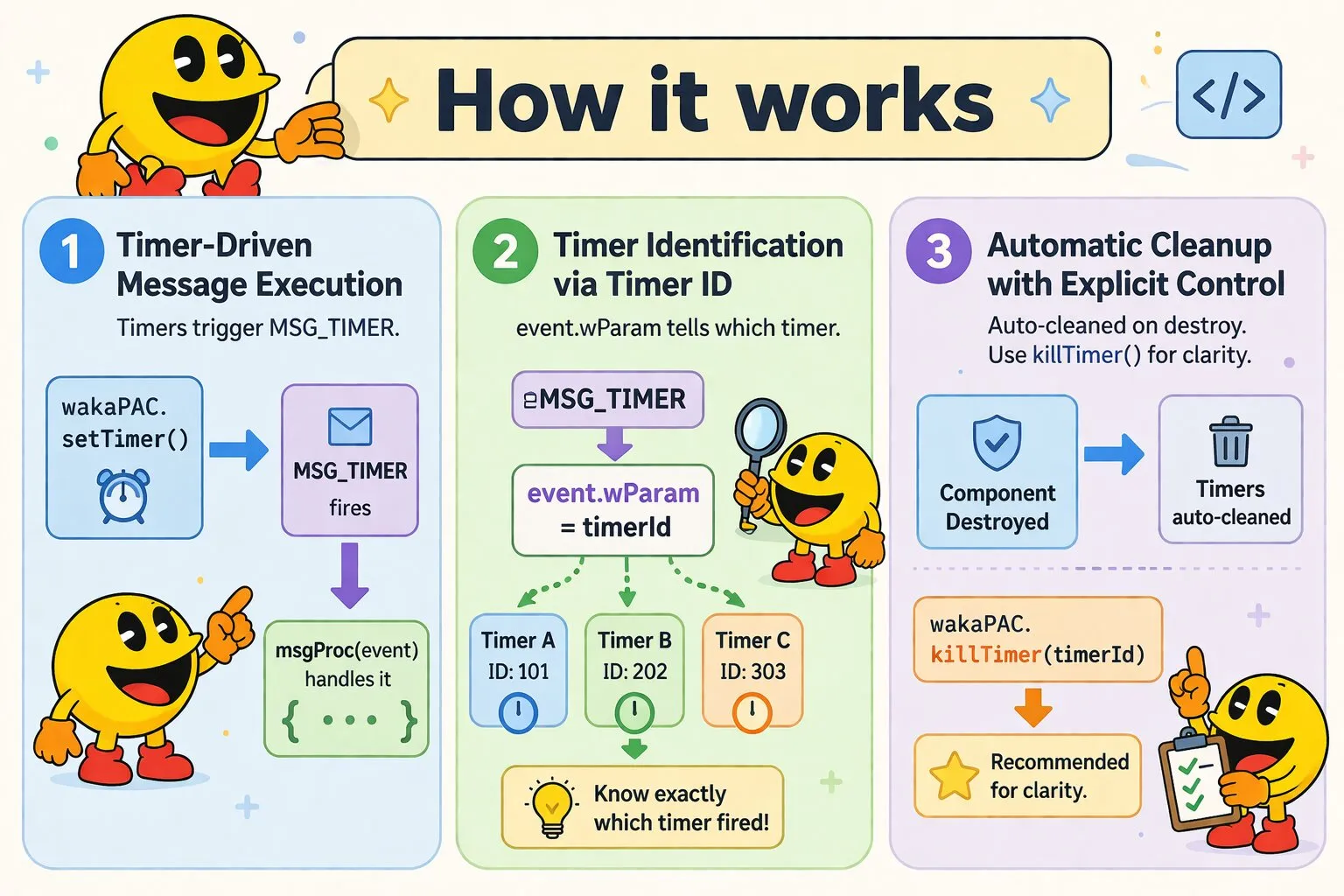
MSG_TIMER fires each time a timer created with wakaPAC.setTimer() elapses. event.wParam carries the timer ID, which identifies which timer fired when a component has multiple active timers.
Message Parameters
| Parameter | Type | Description |
|---|---|---|
wParam |
number | Timer ID that elapsed (the value returned from setTimer()) |
lParam |
number | Reserved (always 0) |
Example: Clock
init() {
    this.clockTimer = wakaPAC.setTimer(this.pacId, 1000);
}

msgProc(event) {
    if (event.message === wakaPAC.MSG_TIMER && event.wParam === this.clockTimer) {
        this.time = new Date().toLocaleTimeString();
    }
}

destroy() {
    wakaPAC.killTimer(this.pacId, this.clockTimer);
}
Example: Countdown Timer
init() {
    this.remaining = 60; // 60 seconds
    this.countdownTimer = wakaPAC.setTimer(this.pacId, 1000);
}

msgProc(event) {
    if (event.message === wakaPAC.MSG_TIMER && event.wParam === this.countdownTimer) {
        this.remaining--;

        if (this.remaining <= 0) {
            wakaPAC.killTimer(this.pacId, this.countdownTimer);
            this.onTimerComplete();
        }
    }
}
API
setTimer()
const timerId = wakaPAC.setTimer(this.pacId, 1000);Creates a timer that fires MSG_TIMER every elapse milliseconds. Returns a timer ID used to identify the timer in MSG_TIMER events and to kill it later.
| Parameter | Type | Description |
|---|---|---|
pacId |
string | Component ID to receive MSG_TIMER events |
elapse |
number | Interval in milliseconds between timer events |
| Returns | Type | Description |
|---|---|---|
| timerId | number | Auto-generated timer ID to identify this timer |
killTimer()
wakaPAC.killTimer(this.pacId, this.clockTimer);Stops a specific timer. The timer stops firing MSG_TIMER events immediately.
| Parameter | Type | Description |
|---|---|---|
pacId |
string | Component ID that owns the timer |
timerId |
number | Timer ID to stop (returned from setTimer()) |
| Returns | Type | Description |
|---|---|---|
| success | boolean | True if the timer was found and killed, false otherwise |
killAllTimers()
wakaPAC.killAllTimers(this.pacId);Stops all timers for a component. Useful when a component is being destroyed or when all timer state needs to be reset.
| Parameter | Type | Description |
|---|---|---|
pacId |
string | Component ID to stop all timers for |
| Returns | Type | Description |
|---|---|---|
| count | number | Number of timers that were killed |
Timer Lifecycle and Cleanup
Timers automatically clean up when the component is destroyed, but explicit cleanup is recommended to avoid unnecessary processing.
Example: Manual Timer Management
init() {
    this.timer = wakaPAC.setTimer(this.pacId, 5000);
}

stop() {
    wakaPAC.killTimer(this.pacId, this.timer);
    this.timer = null;
}

restart() {
    this.stop();
    this.timer = wakaPAC.setTimer(this.pacId, 5000);
}

destroy() {
    wakaPAC.killAllTimers(this.pacId);
}
Best Practices
- Check timer ID in msgProc: When using multiple timers, always check
event.wParamagainst the stored timer ID rather than handling all MSG_TIMER events as the same timer - Store timer IDs: Save the value returned by
setTimer()— you need it to kill the timer and to identify it in MSG_TIMER - Avoid rapid timers: Intervals below 16ms will fire more often than the display refresh rate and add overhead without useful granularity
- Kill timers when done: Don't rely on automatic cleanup — kill timers explicitly as soon as they are no longer needed
- Pause timers when backgrounded: Long-running timers drain battery on mobile. Kill them when the component is hidden and restart on resume