
msgProc: Mouse Capture
Mouse capture routes all mouse events to a container regardless of cursor position. Without it, mousemove events stop firing the moment the cursor leaves the container boundary — breaking drag-and-drop, resizing, sliders, and drawing tools.
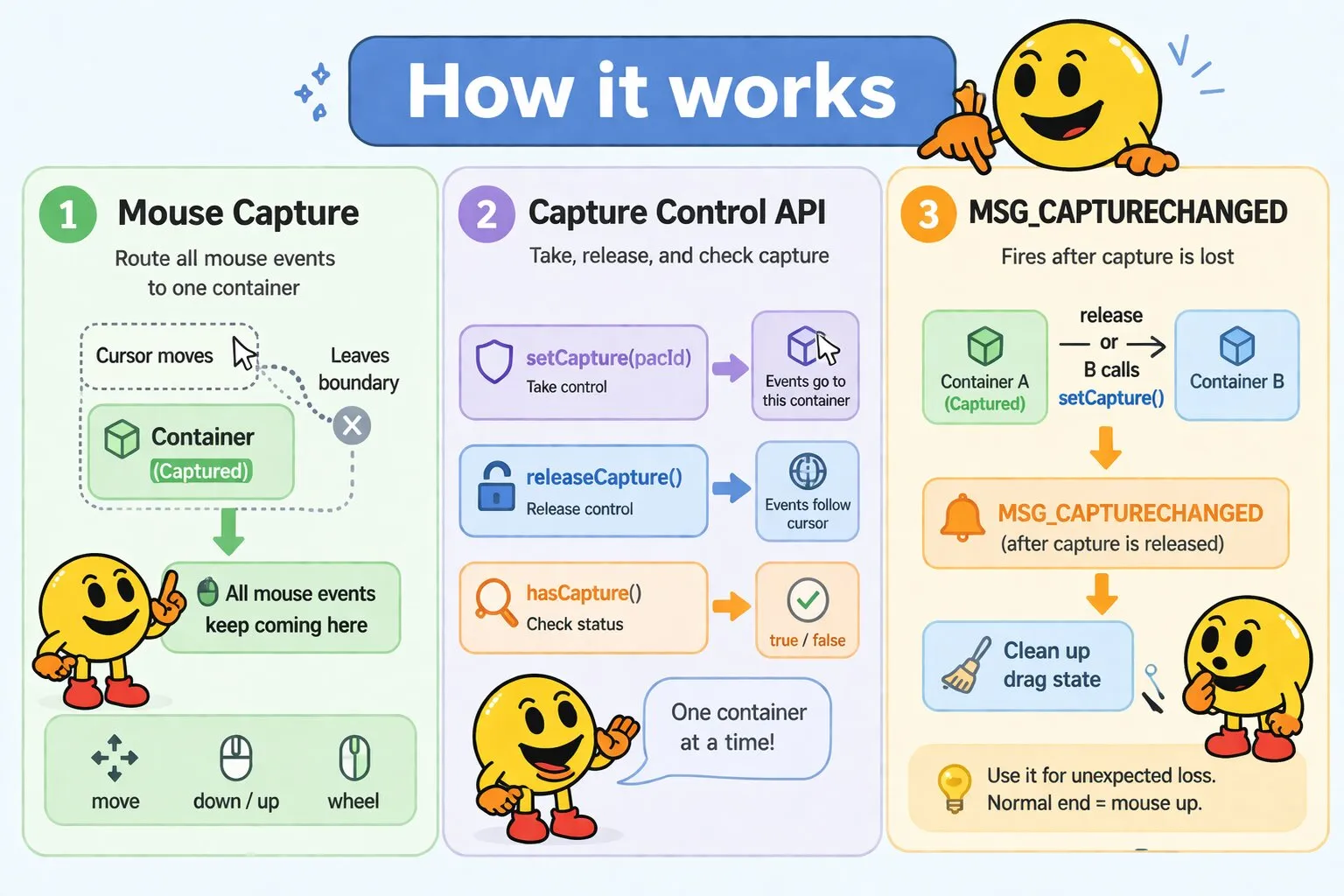
Messages
MSG_CAPTURECHANGED
MSG_CAPTURECHANGED fires when a container loses capture — either because releaseCapture() was called or another container called setCapture(). It fires before capture is actually released — inside a MSG_CAPTURECHANGED handler, hasCapture() still returns true for the container losing it. Use it to clean up drag state if capture is lost unexpectedly. Normal completion logic belongs in MSG_LBUTTONUP, not here.
Message Parameters
| Parameter | Type | Description |
|---|---|---|
wParam |
number | Reserved (always 0) |
lParam |
number | Reserved (always 0) |
Example: Handling Unexpected Capture Loss
msgProc(event) {
    if (event.message === wakaPAC.MSG_LBUTTONDOWN) {
        wakaPAC.setCapture(this.pacId);
        this._dragging = true;
        return false;
    }

    if (event.message === wakaPAC.MSG_LBUTTONUP) {
        wakaPAC.releaseCapture();
        return false;
    }

    // Cleanup if capture is lost unexpectedly
    if (event.message === wakaPAC.MSG_CAPTURECHANGED) {
        this._dragging = false;
        this.resetDragState();
        return false;
    }
}
API
setCapture()
wakaPAC.setCapture(this.pacId);Captures the mouse for the specified container. All subsequent mouse events route to this container until capture is released, regardless of cursor position. Only one container can hold capture at a time — calling setCapture() again transfers capture to the new container.
While capture is active: all mouse events (move, down, up, clicks, wheel) route to the captured container regardless of which container the cursor is actually over — capture overrides that container-level routing, not the finer-grained resolution of which control within the container the event is addressed to. target still resolves to whichever control the cursor is over, exactly as it would without capture; it only falls back to the captured container itself once the cursor moves outside that container's bounds. See Target Resolution for details. MSG_MOUSEENTER and MSG_MOUSELEAVE are suppressed. Keyboard and focus events are unaffected.
| Parameter | Type | Description |
|---|---|---|
pacId |
string | The container ID to receive captured events |
releaseCapture()
wakaPAC.releaseCapture();Releases mouse capture. Events return to normal routing based on cursor position. Safe to call when no capture is active.
hasCapture()
if (wakaPAC.hasCapture()) { ... }Returns true if any container currently holds capture, false otherwise.
Drag-and-Drop Example
msgProc(event) {
    if (event.message === wakaPAC.MSG_LBUTTONDOWN) {
        const pos = wakaPAC.MAKEPOINTS(event.lParam);

        wakaPAC.setCapture(this.pacId);
        this._dragging = true;
        this._dragStartX = pos.x;
        this._dragStartY = pos.y;
        this._startX = this.x;
        this._startY = this.y;

        return false;
    }

    if (event.message === wakaPAC.MSG_MOUSEMOVE && this._dragging) {
        const pos = wakaPAC.MAKEPOINTS(event.lParam);
        const deltaX = pos.x - this._dragStartX;
        const deltaY = pos.y - this._dragStartY;

        this.x = this._startX + deltaX;
        this.y = this._startY + deltaY;

        return false;
    }

    if (event.message === wakaPAC.MSG_LBUTTONUP && this._dragging) {
        wakaPAC.releaseCapture();
        this._dragging = false;

        return false;
    }
}
Capture Lifecycle
Capture releases automatically when the captured container is removed from the DOM or destroyed. In all other cases it must be released explicitly.
Always release capture on mouseup, on Escape (user cancellation), and on any error or abort condition. If capture is lost for any other reason — such as another container calling setCapture() — MSG_CAPTURECHANGED fires and gives the component a chance to clean up.
Best Practices
- Always release on mouseup: Call
releaseCapture()in MSG_LBUTTONUP when the operation completes - Handle MSG_CAPTURECHANGED: Clean up drag state there for cases where capture is lost unexpectedly
- Support Escape cancellation: Listen for the Escape key and call
releaseCapture()to let users abort drag operations - Store start positions: Save both mouse position and object position at capture start to compute accurate deltas throughout the drag
- Use underscore-prefixed state: Track drag state with
_dragging,_resizingetc. — underscore-prefixed properties won't trigger reactivity