
Overview
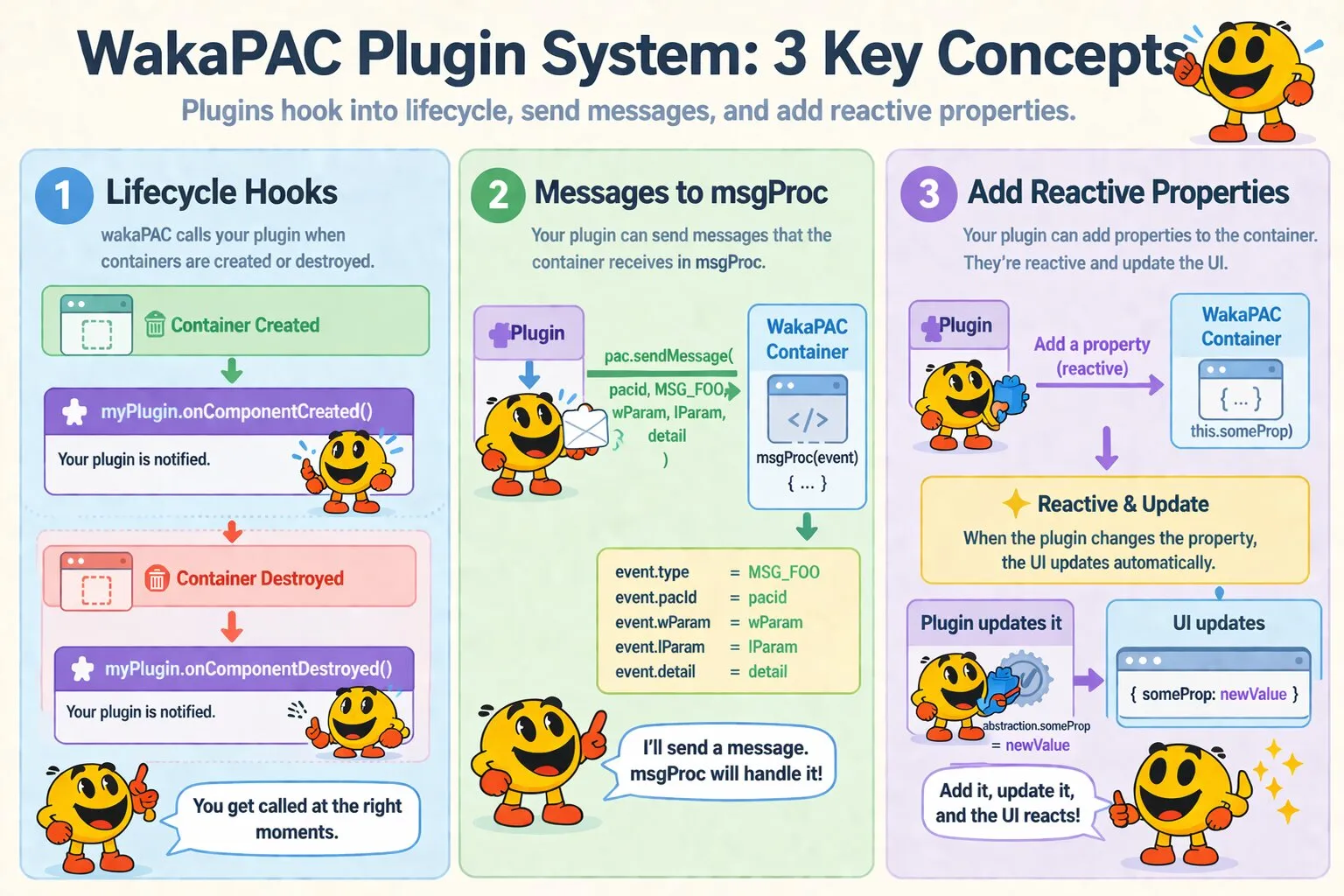
WakaPAC's plugin system lets external libraries hook into the component lifecycle. Plugins can inject per-component state, define new message types, and clean up resources automatically — all without either side depending on the other's internals.
On this page:
Plugin Structure
A plugin is any object with a createPacPlugin(pac, options) method. WakaPAC calls this method once during wakaPAC.use(),
passing itself as the pac argument and any options supplied to wakaPAC.use() as the second argument. The method returns a plugin instance — an object that implements
lifecycle hooks.
const myPlugin = {
    createPacPlugin(pac, options = {}) {
        // Called once at registration time.
        // 'pac' is the wakaPAC runtime object.
        // 'options' contains any configuration passed to wakaPAC.use().

        return {
            onComponentCreated(abstraction, pacId, config) {
                // Called for every new component.
            },

            onComponentDestroyed(pacId) {
                // Called when a component's DOM element is removed.
            }
        };
    }
};

wakaPAC.use(myPlugin);
Both lifecycle hooks are optional — implement only what you need.
Lifecycle Hooks
| Hook | Arguments | Timing |
|---|---|---|
onComponentCreated |
abstraction, pacId, config |
After the component is registered in PACRegistry, before init() runs and
before the pac:component-ready event fires.
|
onComponentDestroyed |
pacId |
When the component's DOM element is removed, before the component's internal destroy()
runs.
|
The abstraction argument is the component's reactive proxy — the same this the component
author works with. The config argument is the merged options object (the third argument to wakaPAC()),
which includes any plugin-specific options the component author may have provided.
Defining Custom Messages
Plugins communicate with components through msgProc using custom message types. Derive your message
constants from pac.MSG_PLUGIN to avoid collisions with built-in messages and other plugins:
createPacPlugin(pac, options = {}) {
    const MSG_WS_OPEN    = pac.MSG_PLUGIN + 0x100;
    const MSG_WS_MESSAGE = pac.MSG_PLUGIN + 0x101;
    const MSG_WS_CLOSE   = pac.MSG_PLUGIN + 0x102;
    const MSG_WS_ERROR   = pac.MSG_PLUGIN + 0x103;

    // Expose on wakaPAC so components can reference them
    pac.MSG_WS_OPEN    = MSG_WS_OPEN;
    pac.MSG_WS_MESSAGE = MSG_WS_MESSAGE;
    pac.MSG_WS_CLOSE   = MSG_WS_CLOSE;
    pac.MSG_WS_ERROR   = MSG_WS_ERROR;

    // ...
}
Components then handle these in msgProc like any other message:
msgProc(event) {
    switch (event.message) {
        case wakaPAC.MSG_WS_MESSAGE:
            this.lastMessage = event.detail.data;
            break;
    }
}
Delivering Messages
Use pac.sendMessage() or pac.postMessage() to deliver messages to a specific component.
Both take the same arguments; sendMessage dispatches synchronously, while postMessage
dispatches asynchronously via setTimeout.
// Synchronous — dispatched immediately
pac.sendMessage(pacId, MSG_WS_MESSAGE, wParam, lParam, detail);

// Asynchronous — dispatched on the next tick
pac.postMessage(pacId, MSG_WS_MESSAGE, wParam, lParam, detail);
Use pac.broadcastMessage() to send a message to every active component at once:
pac.broadcastMessage(MSG_WS_CLOSE, wParam, lParam, detail);
Prefer postMessage in most cases. Synchronous dispatch during initialization or inside event handlers
can cause unexpected re-entrancy.
Injecting Per-Component State
The most common plugin pattern is attaching a scoped handle to each component's abstraction in onComponentCreated,
then cleaning it up in onComponentDestroyed. Use a Map keyed by pacId to
track per-component resources.
Rather than hardcoding the injected property name, read it from the component's config and fall back to a sensible default. This lets each component choose where the handle lives on its abstraction:
const myPlugin = {
    createPacPlugin(pac, options = {}) {
        const connections = new Map();

        return {
            onComponentCreated(abstraction, pacId, config) {
                // Read the property name from config, fall back to '_ws'
                const key = config.myPlugin?.property ?? '_ws';

                const conn = new WebSocket(config.myPlugin?.url || '/ws');

                conn.onmessage = function(e) {
                    pac.postMessage(pacId, pac.MSG_WS_MESSAGE, 0, 0, {
                        data: JSON.parse(e.data)
                    });
                };

                connections.set(pacId, conn);

                // Inject the handle under the configured property name
                abstraction[key] = {
                    send(data) {
                        conn.send(JSON.stringify(data));
                    }
                };
            },

            onComponentDestroyed(pacId) {
                const conn = connections.get(pacId);

                if (conn) {
                    conn.close();
                    connections.delete(pacId);
                }
            }
        };
    }
};
The component author configures the property name via the config object and uses the handle naturally:
wakaPAC('#chat', {
    _ws: null,  // myPlugin will inject the handle here
    draft: '',

    msgProc(event) {
        switch (event.message) {
            case wakaPAC.MSG_WS_MESSAGE:
                this.messages.push(event.detail.data);
                break;
        }
    },

    sendMessage() {
        this._ws.send({ text: this.draft });
        this.draft = '';
    }
}, {
    myPlugin: { property: '_ws', url: 'wss://chat.example.com' }
});
If a component doesn't configure a property name, the default (_ws) is used. The
property key is consumed by the plugin and not forwarded to the underlying service.
Reading Component Options
The config argument passed to onComponentCreated is the merged options object from wakaPAC()'s
third argument. Use it to accept per-component configuration for your plugin. Choose a single top-level key to
namespace your options:
// Component opts in to plugin behavior via config
wakaPAC('#dashboard', {
    // ...
}, {
    ws: { url: 'wss://live.example.com', reconnect: true }
});

// Plugin reads config.ws in onComponentCreated
onComponentCreated(abstraction, pacId, config) {
    const opts = config.ws || {};
    const url = opts.url || '/ws';
    const reconnect = opts.reconnect !== false;
    // ...
}
Registration Rules
A few things to be aware of when registering plugins:
-
Register before creating components. Plugins only see components created after
wakaPAC.use()is called. Components created earlier will not triggeronComponentCreated. -
Pass options as a second argument.
wakaPAC.use(myPlugin, { key: value })forwards the options object tocreatePacPluginas its second argument. Use this for plugin-level configuration that applies globally, as opposed to per-component configuration which belongs in theconfigargument ofwakaPAC(). -
Duplicate registrations are ignored. Calling
wakaPAC.use(myPlugin)twice with the same object reference is safe — it silently skips the second registration. -
createPacPluginis required. If the library doesn't have acreatePacPluginmethod,wakaPAC.use()throws an error. - Order matters between plugins. Plugins are called in registration order. If plugin B depends on state injected by plugin A, register A first.
Best Practices
-
Namespace injected properties. Prefix injected properties with an underscore (e.g.
this._ws,this._log) to avoid collisions with the component author's own properties. -
Make injected property names configurable. Read the property name from the component's config
rather than hardcoding it —
config.myPlugin?.property ?? '_default'. This lets component authors choose where the handle lives on their abstraction and avoids collisions when multiple plugins inject into the same component. Thepropertykey is a convention shared with WakaPAC's built-in units. -
Namespace your message range. Pick a fixed offset from
MSG_PLUGIN(e.g.+ 0x100,+ 0x200) and document it, so other plugins can avoid the same range. -
Clean up in
onComponentDestroyed. Close connections, clear intervals, delete Map entries. The component's DOM element is already gone at this point — don't try to access it. -
Prefer
postMessageoversendMessage. Asynchronous dispatch avoids re-entrancy issues when delivering messages during initialization or inside other event handlers. -
Keep
createPacPluginside-effect-free where possible. Exposing message constants onpacis fine, but avoid heavy setup here — defer per-component work toonComponentCreated. -
Respect component config. Accept a namespaced key in the config object (e.g.
config.ws,config.logging) rather than requiring the component to call your plugin directly. This keeps the component author's interface clean. -
Guard against missing components. In
onComponentDestroyed, always check that your per-component state exists before accessing it — a component may have been created before the plugin was registered.